
Authors: Update Your Websites
Fine, fine, I'll give you some tips...
My greatest accomplishment as an author at this point is probably not my books, but that I seem to strike fear in the hearts of authors with out-of-date websites, and you know what? I’m not mad about it. (jk I’m a little mad about it—buy my books, you ingrates.) Between blogging, editing anthologies, setting up events, and trying to help connect authors, I look up author websites and social media constantly, and I cannot tell you what a disservice it’s doing you to have one of your easiest marketing tools trip you up.
That said, I know people aren’t always sure what it means to keep their website up to date, especially if they don’t have any books out yet, so here’s a handy little guide.
Your Books
This is the absolute most important. From the instant your book is announced, it should be up on your website, even if it’s literally just a screenshot of your announcement. However you decide to design or organize this is up to you, but as you get new information—pub date, formats, cover copy, cover—it should go right onto your site as soon as you have the green light to share it.
Personally, I like to keep my website organized by category (YA, NA, Adult) and then you can also look up my books individually via a dropdown. I would definitely advocate for clarity on the category front, especially if you have very varied content level and especially if your covers don’t make that clear.

If you write series, please make sure the series order is visible on your website. This is a frequent ask of both readers and librarians.
The bare minimum your book page(s) should have is cover, pub date (if still to come), copy, and buy links. Notice I used “links,” plural, because unless your book is literally only available in one place, you should be using multiple links. At a minimum, I suggest at least one indie (if you don’t have a local one, you can use Bookshop; if there’s one where people can get signed copies, absolutely mention that), B&N, and Amazon, and if your book is available in audio, I would add Libro.fm. If you’re an author in a genre that’s especially popular in ebook, like Romance, I’d add Kobo and Apple as well. (Note: Once your book’s been out for a while, I recommend changing these links periodically to make sure they’re still good.) (Also, obviously this depends on your location - if you’re in the UK, you’d want to use Waterstones and Blackwell’s, for example.)
I also like to use this space to include blurbs, reviews, cover designer info, and international editions. Here’s an example of one of mine.
Contact Info
This is the other most important part of your website. If you want to be considered for opportunities, be they interviews or appearances or anything at all, you must have a way to be contacted. It can be an email address, it can be a form, and if you’re really opposed to handling the contact yourself, it can be your agent’s info (note: regardless, you should be including your agent’s information), but it must be something. Yes, this will probably open you up to those annoying AI spam emails if you’re not already getting them, but it is, unfortunately, a necessary evil. Here’s mine. Also, your social media info should be easily available on your site, as should signups for any newsletter, Patreon, etc. you may have.
Events
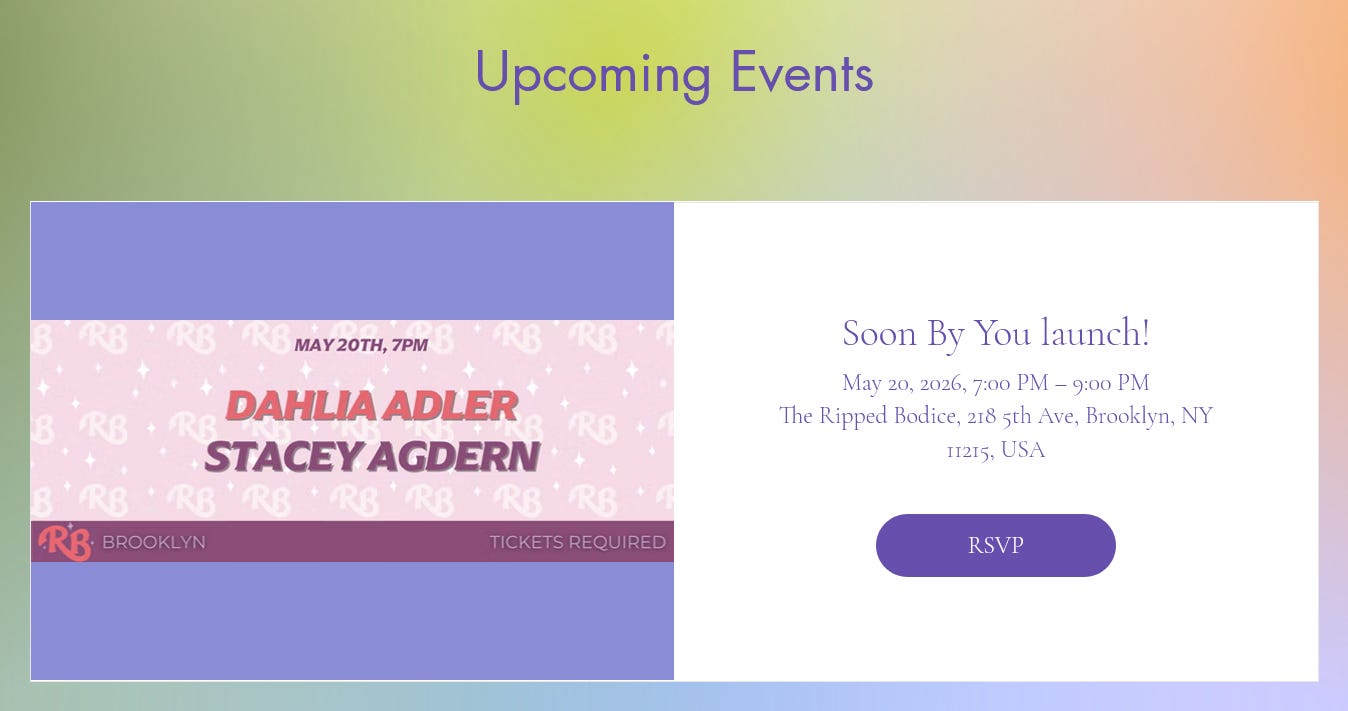
Doing events? Make sure people can find them! That means the when, the where, the registration info if necessary, and anything else pertinent. If you’re going to suck at updating your website, include the year. I’ve seen some really out-of-date websites where I literally couldn’t tell if the event was coming up or had happened in 2023.
Media Kit
In an ideal world, you’ll do a full media kit (also called a press kit), but at the barest minimum, you should have a photo of yourself and a brief bio on your website. When I say a full media kit, I mean having a variety of these things to choose from, plus anything else you’d like to include. Here’s one where I’m a bit of a hypocrite, because I have exactly one author photo and we’re not going to discuss how old it is, but if you’re gonna have variations, think variety of tones/moods to rep different categories/genres but also different orientations, e.g. some horizontal and some vertical. It’s also helpful to include a line giving blanket permission of your photos for publicity purposes, e.g. “Reprint of photo is permitted for publicity purposes.”
As for bios, you may have different ones for different categories as well, but the real important differentiation here is length—you want to have one that’s about 50 words and one that’s between 100 and 250. These will be used for different things, and you may want more information for, say, being introduced on a panel than B&N allows for an author bio, for example.
Since my media kit’s in a bit of a state of flux right now (I know, I know, but in my defense I was laid off like five minutes ago, and I had just changed all my bios to mention being a game writer), here’s my bestie Marieke’s as a good example of Doing it Right with regard to offering different pics and bio sizes.
You should also make sure hi-res images of all your covers are accessible, and include photo credits for any photography, even if the credit is you because it’s a selfie. Some publications require credits regardless. (If your website is unfriendly to hosting these images in a downloadable format, you can also include a link to a Google drive, which is what I do.)
FAQ
This one often throws people because “What if no one frequently asks me any questions??” First of all, here’s a secret: they don’t have to be questions you’re frequently asked, just the kind of questions that are. I like to use to this space to talk about how to handle blurb requests, how to pronounce my name, explain anything that might need explaining, give info on the rep in my books, etc. But also? You can skip it! This is not a page you have to have if it makes you anxious! You can always add it later, or do a play on it like “Questions I frequently ask myself.”
Bonus Material
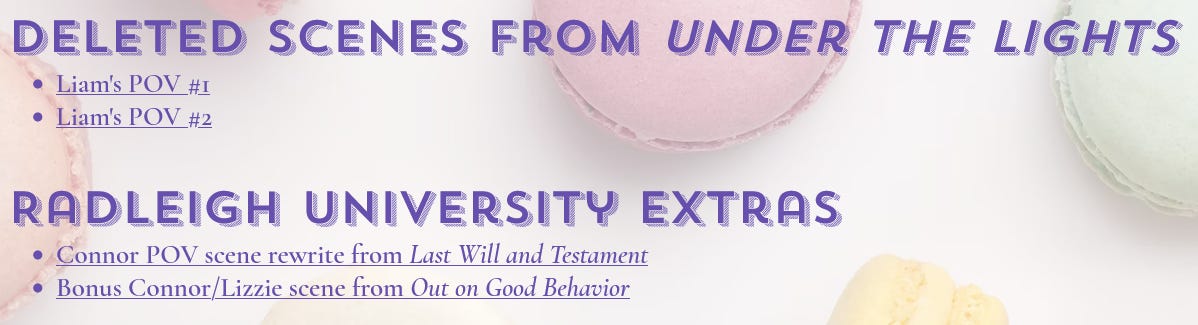
This is an obvious “Don’t need to have it” section, but it’s fun both if you have already have a solid readership or if you don’t yet and want stuff to make your website look a little less empty. This can be bonus scenes, playlists, recipes, reader’s guides, whatever!
Press
If you’ve done interviews, podcasts, etc. or been featured in an article, this is a nice place to show that off. As a bonus, it’s really helpful for future journalists who may interview you to see what you’re already frequently asked, or build out their own questions for you. (For panel moderators, too.)
To sum up, these are the things I think your website should be able to accomplish:
Make clear what books you have (and in what formats—an ebook goes without saying, but an audiobook does not), who the audience is, and how those books can be covered/requested/purchased. (Note: I personally think should also include international editions, and I do this on both my book pages and a separate International Editions page. At the very least, people should be able to see what languages or territories your book is published in.) The more compelling you can make your books look with additional information, the better!
Guide people toward how to contact you for an opportunity or a blurb request (note: this includes providing your general location if you can, so people know whether you’re a local author if putting together a panel)
Provide all the information necessary for someone to include your book in an article or introduce you on a panel without having to do any additional legwork
As applicable, enable people to easily see how to enter your preorder campaign and attend your events
Make it easy for people to find and follow your social media accounts, newsletter, Patreon, etc.
Make available any supplemental material you would like readers, educators, booksellers, librarians etc. to have, be they reading guides, content warnings, playlists, or anything else.
All right, go forth and update those websites!